> ## Documentation Index
> Fetch the complete documentation index at: https://docs.accio.com/llms.txt
> Use this file to discover all available pages before exploring further.
# Creator Card Generator
> Dynamic visual profiles for Access Protocol creators.
## What is a Creator Card?
The Creator Card is one of the core utilities within the Accio ecosystem dashboard. It is a dynamic, shareable visual asset designed specifically for Access Protocol creators to showcase their on-chain success and community growth in a sleek, customizable format.
## Utility for the ACS Community
For creators, building and maintaining a community is everything. The Creator Card serves as a verified, visual resumé of a creator's success within the ACS ecosystem.
* **Marketing Asset:** Creators can share these cards on social media to attract new subscribers, demonstrating traction and community trust.
* **Transparency:** By displaying real-time on-chain data (like Total ACS Locked), creators provide a transparent view of their network.
* **Milestone Celebration:** Easily generate updated cards to celebrate hitting new subscriber milestones or TVL (Total Value Locked) targets.
## Data Displayed
Accio queries the Solana blockchain to extract the following information for Creator Cards:
| Metric | Description |
| -------------------- | ------------------------------------------------------------------------------- |
| **Creator Name** | The registered name of the creator's pool. |
| **Total ACS Locked** | The aggregate amount of ACS staked by all subscribers in this specific pool. |
| **Total Stakers** | The total number of unique wallets currently supporting the creator. |
| **Rank** | The creator's global standing within the Access Protocol ecosystem (e.g., #14). |
## Generation Workflow
### 1. Copy Your Pool Address
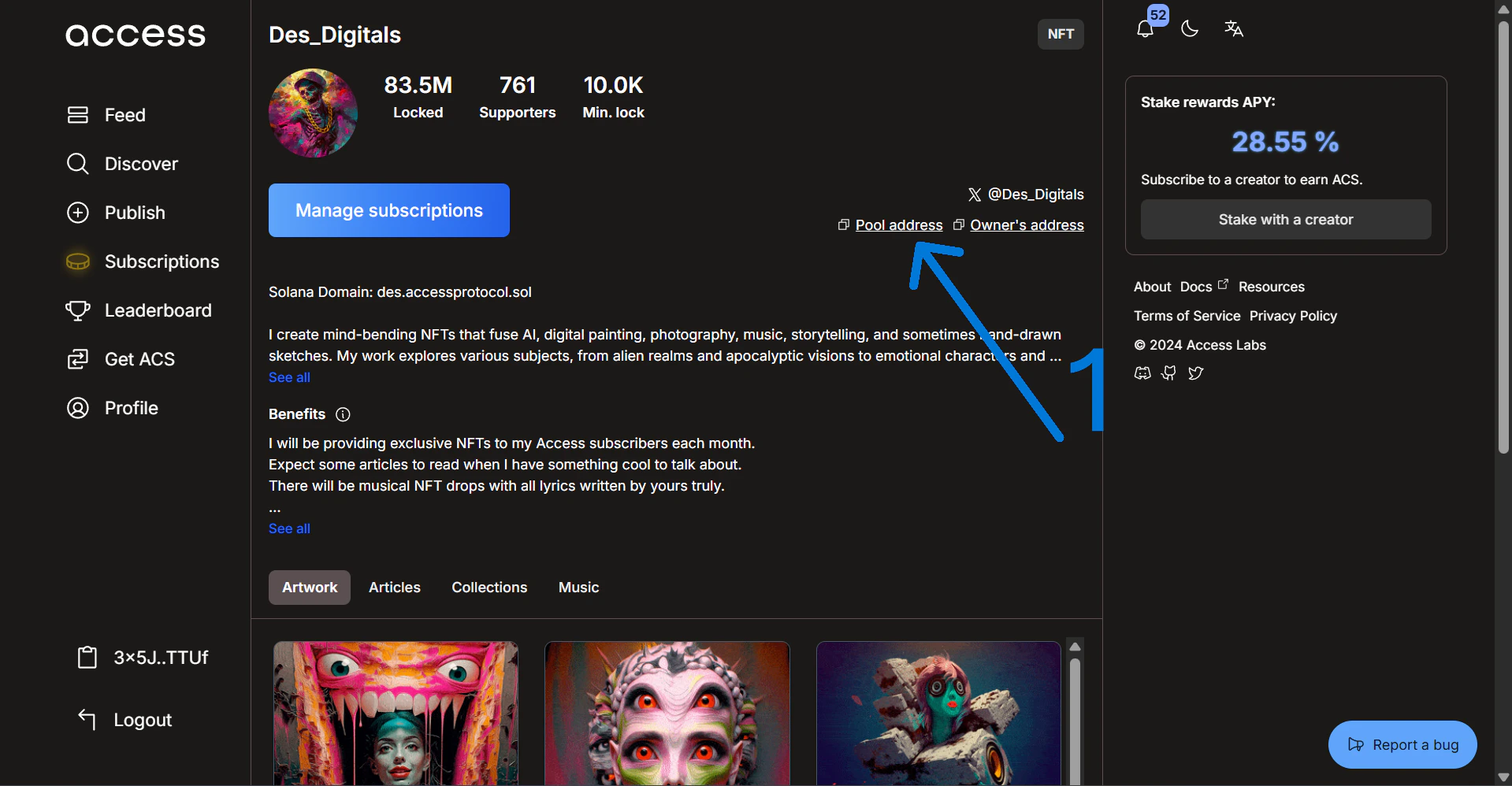
First, go to your creator page on the [Access Hub](https://hub.accessprotocol.co/) and copy your unique pool address as shown below.
 ### 2. Open Accio & Select Creator Mode
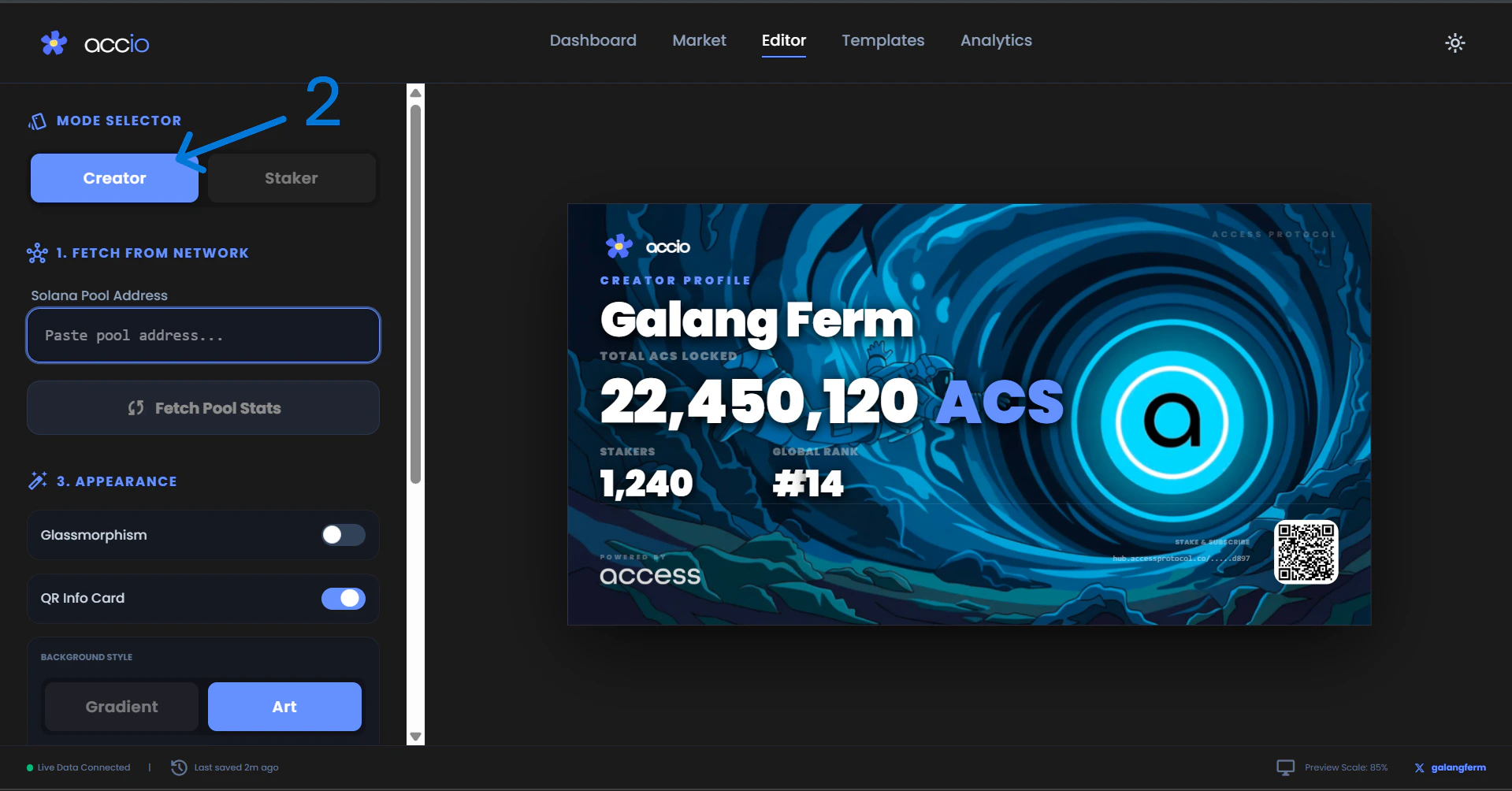
Navigate to our live application at [accio-v1.vercel.app](https://accio-v1.vercel.app/) and select **Creator** under the Mode Selector.
### 2. Open Accio & Select Creator Mode
Navigate to our live application at [accio-v1.vercel.app](https://accio-v1.vercel.app/) and select **Creator** under the Mode Selector.
 ### 3. Paste Your Pool Address
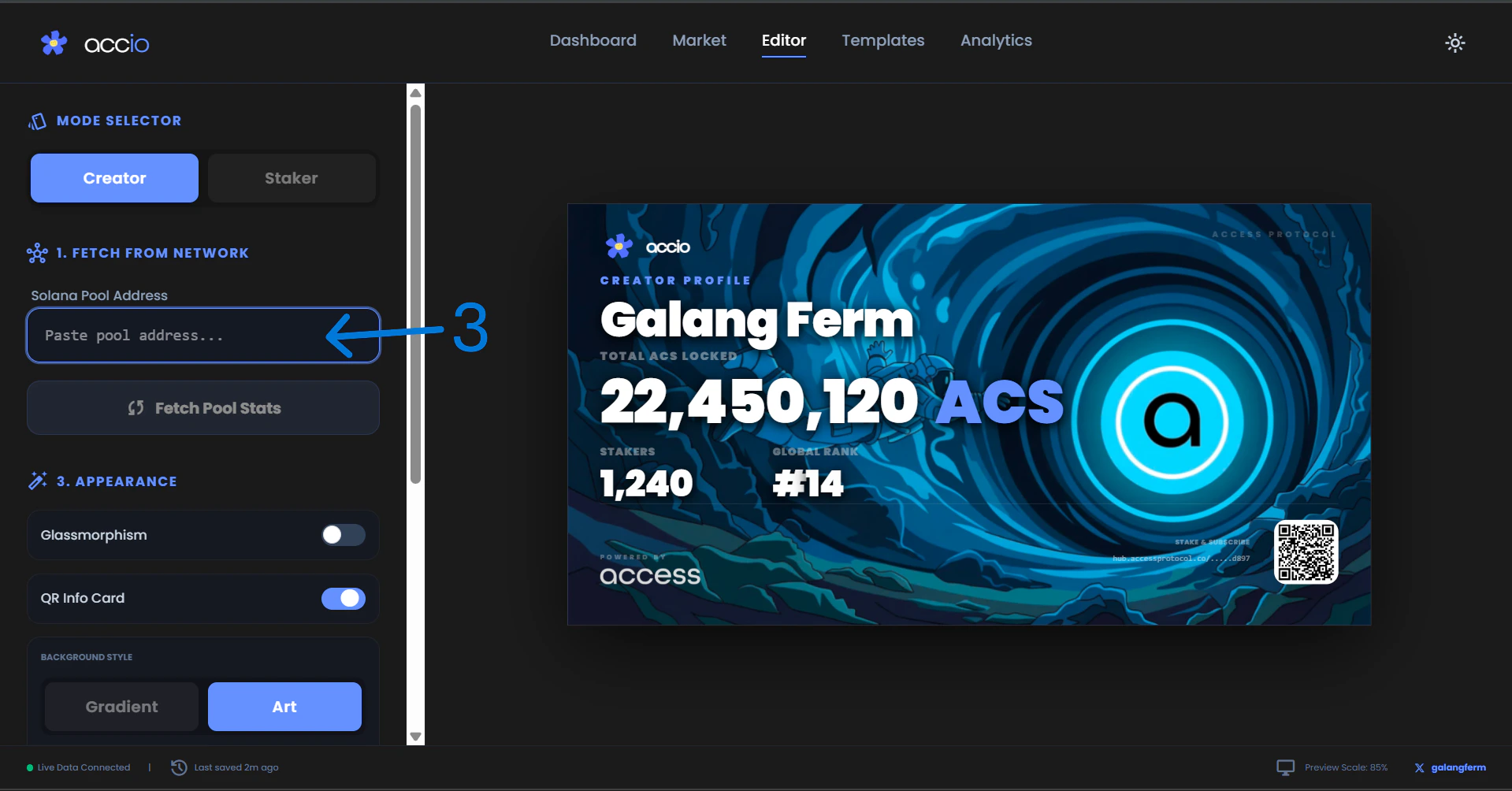
Paste the pool address you copied from the Access Hub into the input field under the Mode Selector.
### 3. Paste Your Pool Address
Paste the pool address you copied from the Access Hub into the input field under the Mode Selector.
 ### 4. Fetch Details
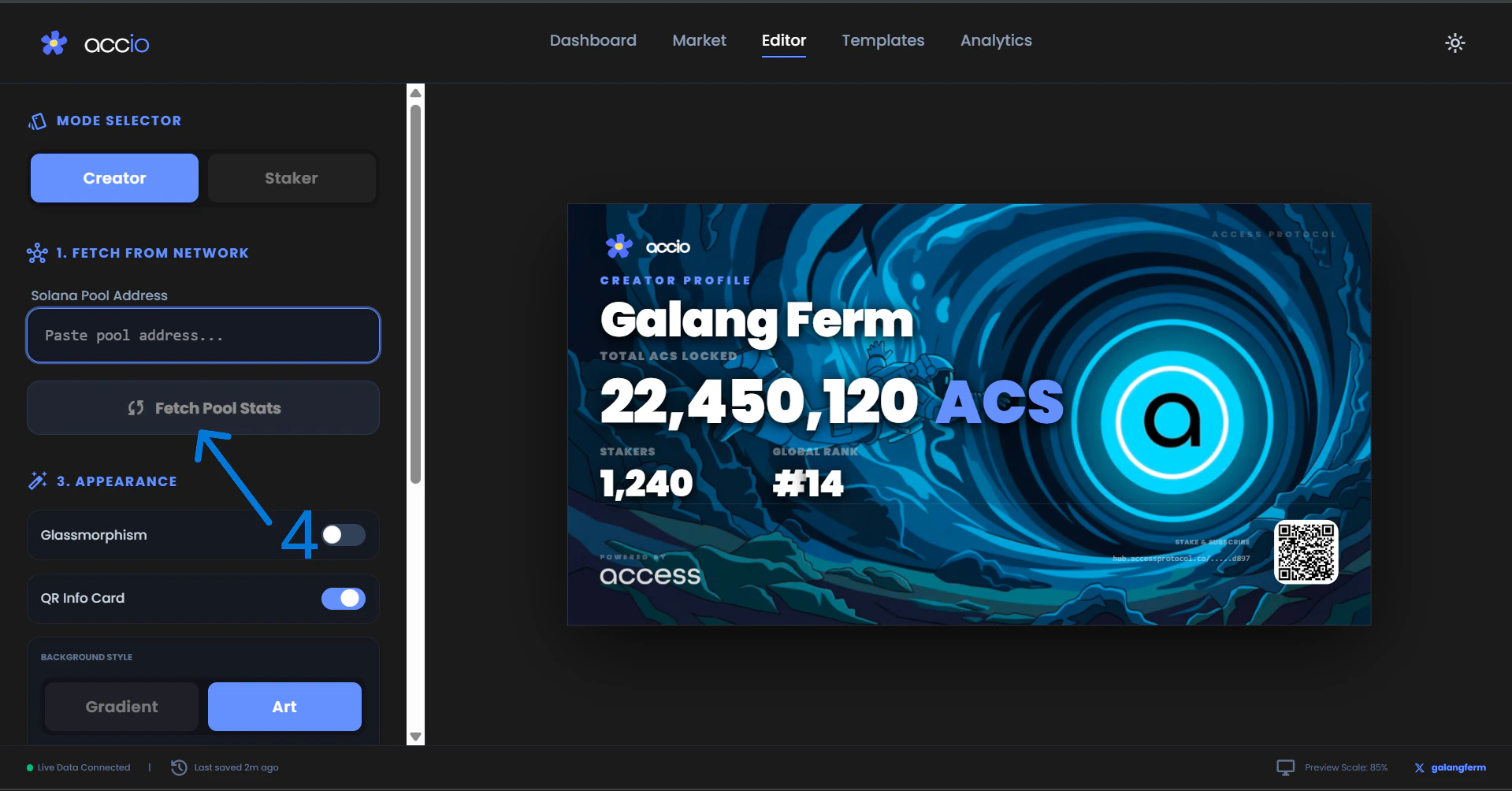
Click the **Fetch Pool Stats** button. Accio will instantly query the Solana blockchain and generate your dynamic card based on your real-time on-chain data.
### 4. Fetch Details
Click the **Fetch Pool Stats** button. Accio will instantly query the Solana blockchain and generate your dynamic card based on your real-time on-chain data.
 ### 5. Customize and Export
Use the visual customizer in the sidebar to adjust themes, colors, and background art.
### 5. Customize and Export
Use the visual customizer in the sidebar to adjust themes, colors, and background art.
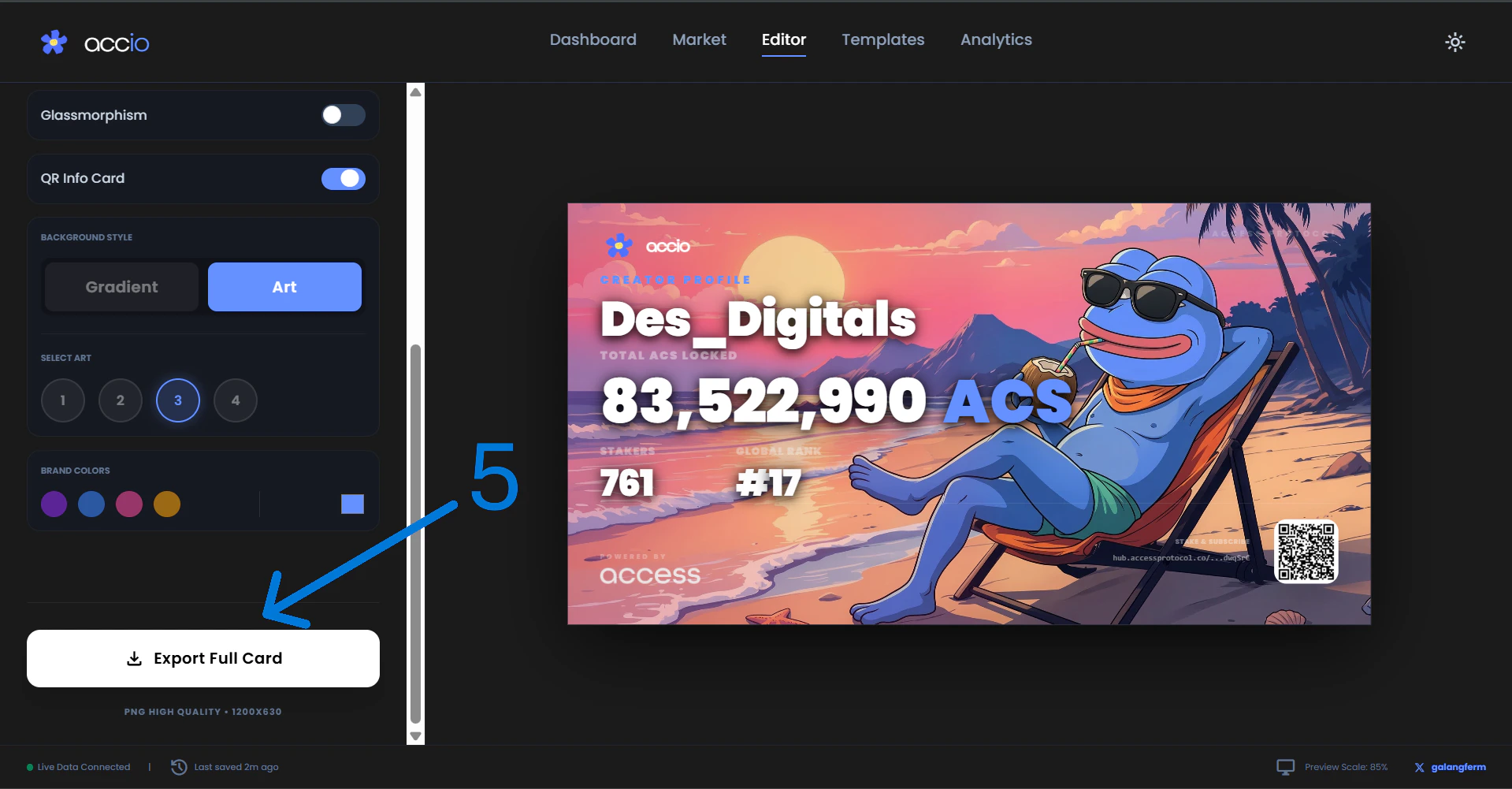 Once you are satisfied with the look, click **Export** to download a high-resolution image of your card.
### 6. Final Result
Here is the stunning final result of your custom Creator Card, ready to be flexed to your community!
Once you are satisfied with the look, click **Export** to download a high-resolution image of your card.
### 6. Final Result
Here is the stunning final result of your custom Creator Card, ready to be flexed to your community!
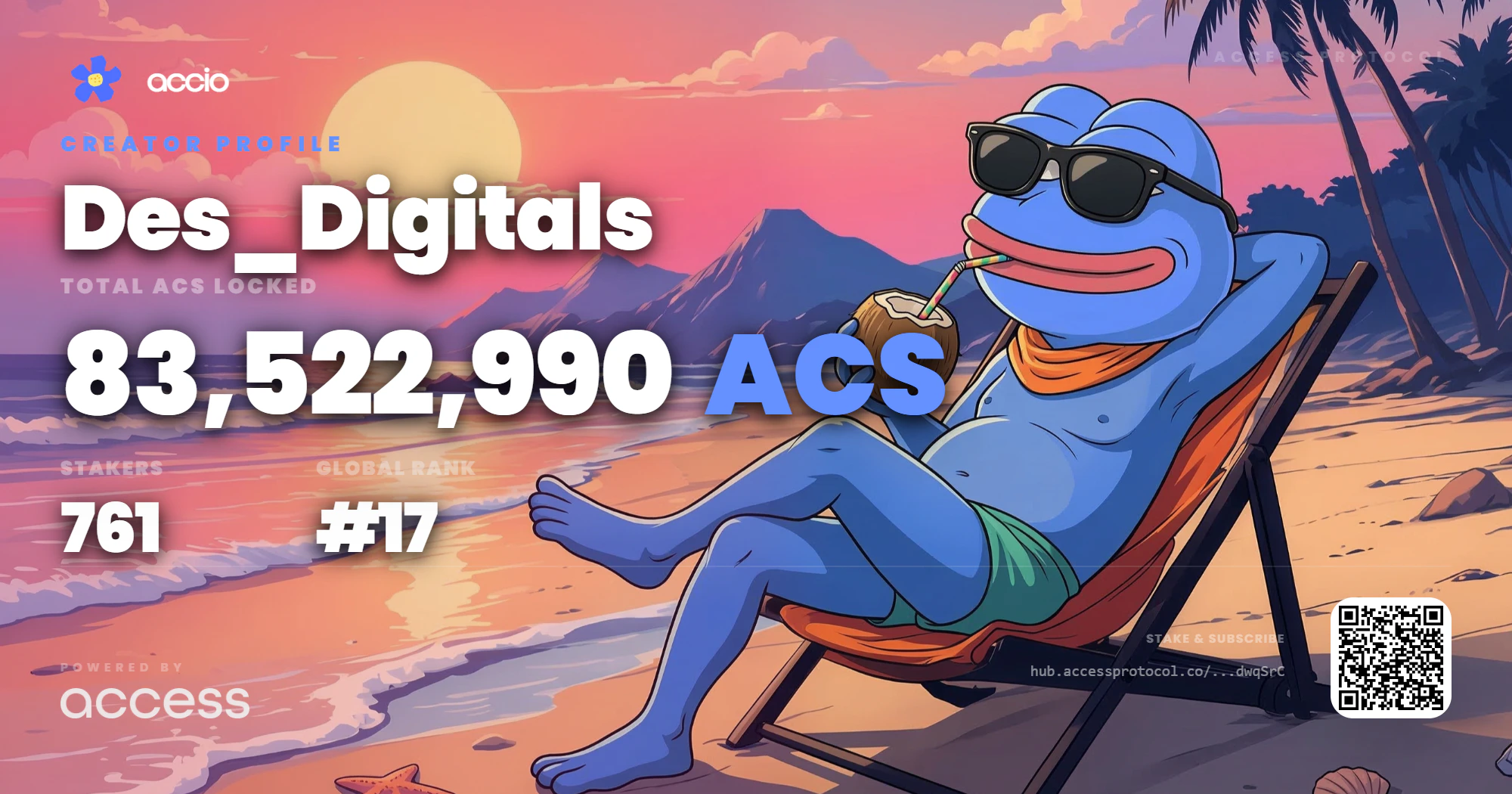 For the best results when sharing on social feeds, we recommend using the default dark aesthetic, which provides high contrast on mobile devices.