What is a Creator Card?
The Creator Card is one of the core utilities within the Accio ecosystem dashboard. It is a dynamic, shareable visual asset designed specifically for Access Protocol creators to showcase their on-chain success and community growth in a sleek, customizable format.
For creators, building and maintaining a community is everything. The Creator Card serves as a verified, visual resumé of a creator’s success within the ACS ecosystem.
- Marketing Asset: Creators can share these cards on social media to attract new subscribers, demonstrating traction and community trust.
- Transparency: By displaying real-time on-chain data (like Total ACS Locked), creators provide a transparent view of their network.
- Milestone Celebration: Easily generate updated cards to celebrate hitting new subscriber milestones or TVL (Total Value Locked) targets.
Data Displayed
Accio queries the Solana blockchain to extract the following information for Creator Cards:
Generation Workflow
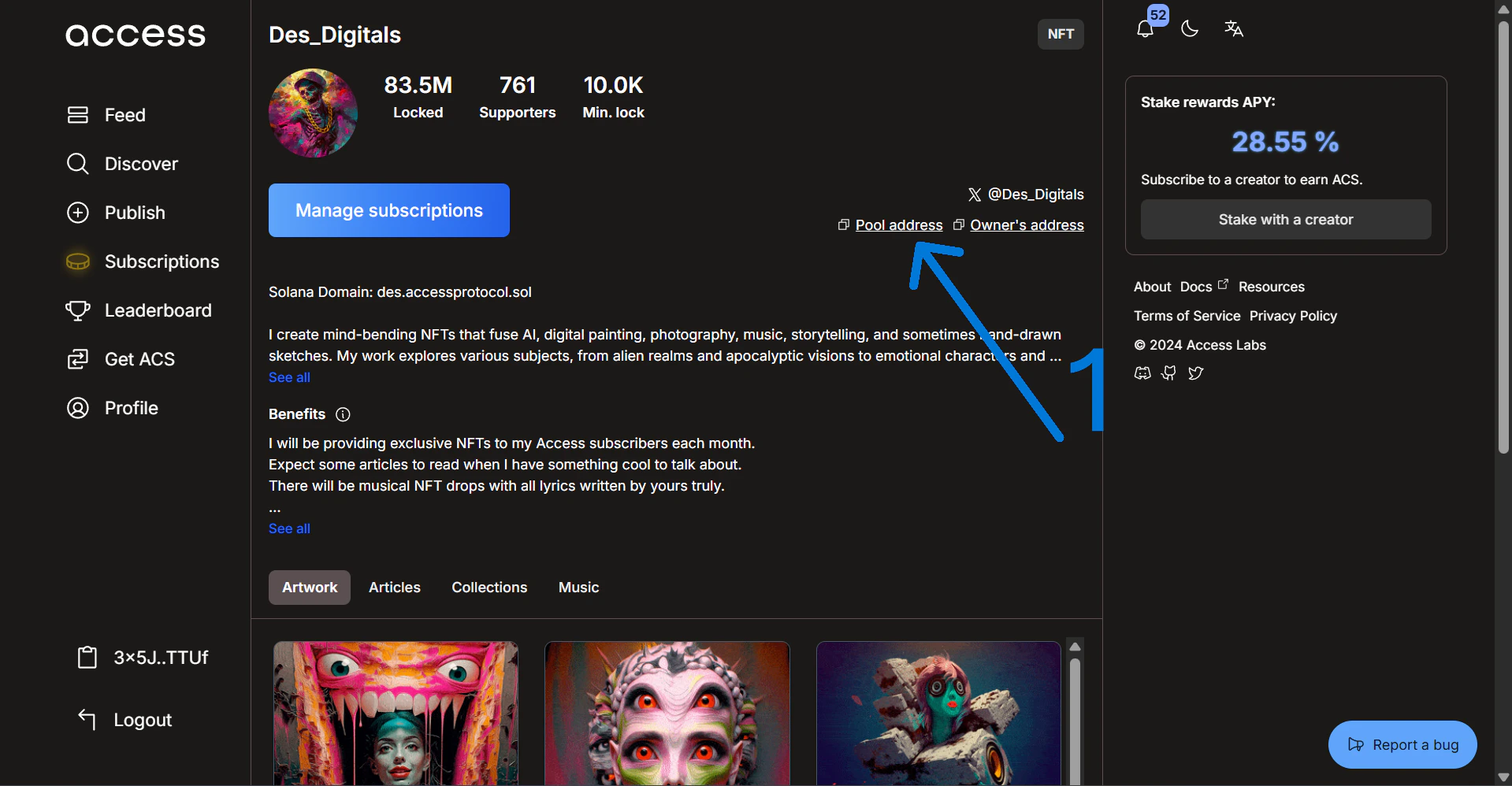
1. Copy Your Pool Address
First, go to your creator page on the Access Hub and copy your unique pool address as shown below.
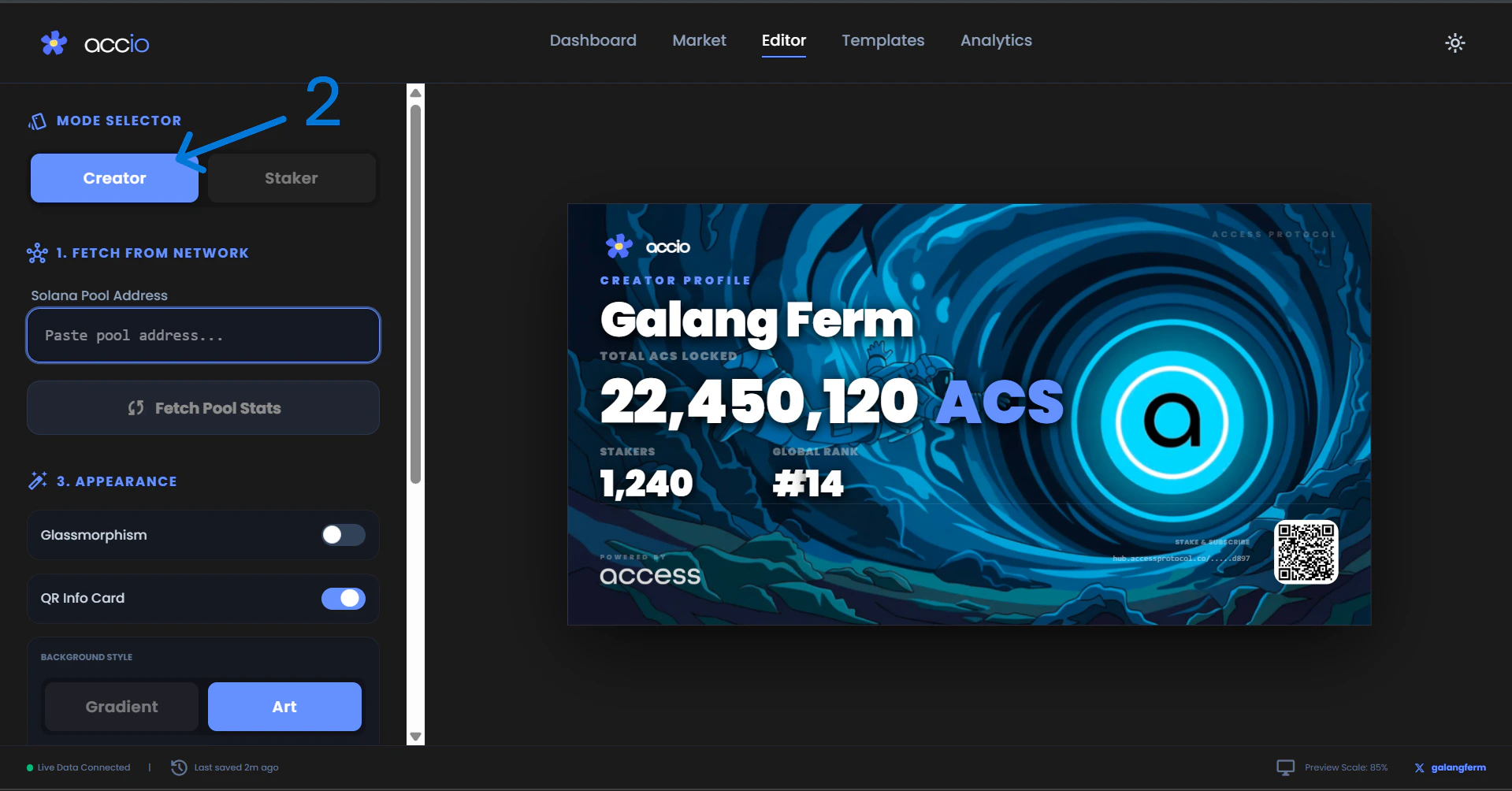
2. Open Accio & Select Creator Mode
Navigate to our live application at accio-v1.vercel.app and select Creator under the Mode Selector.
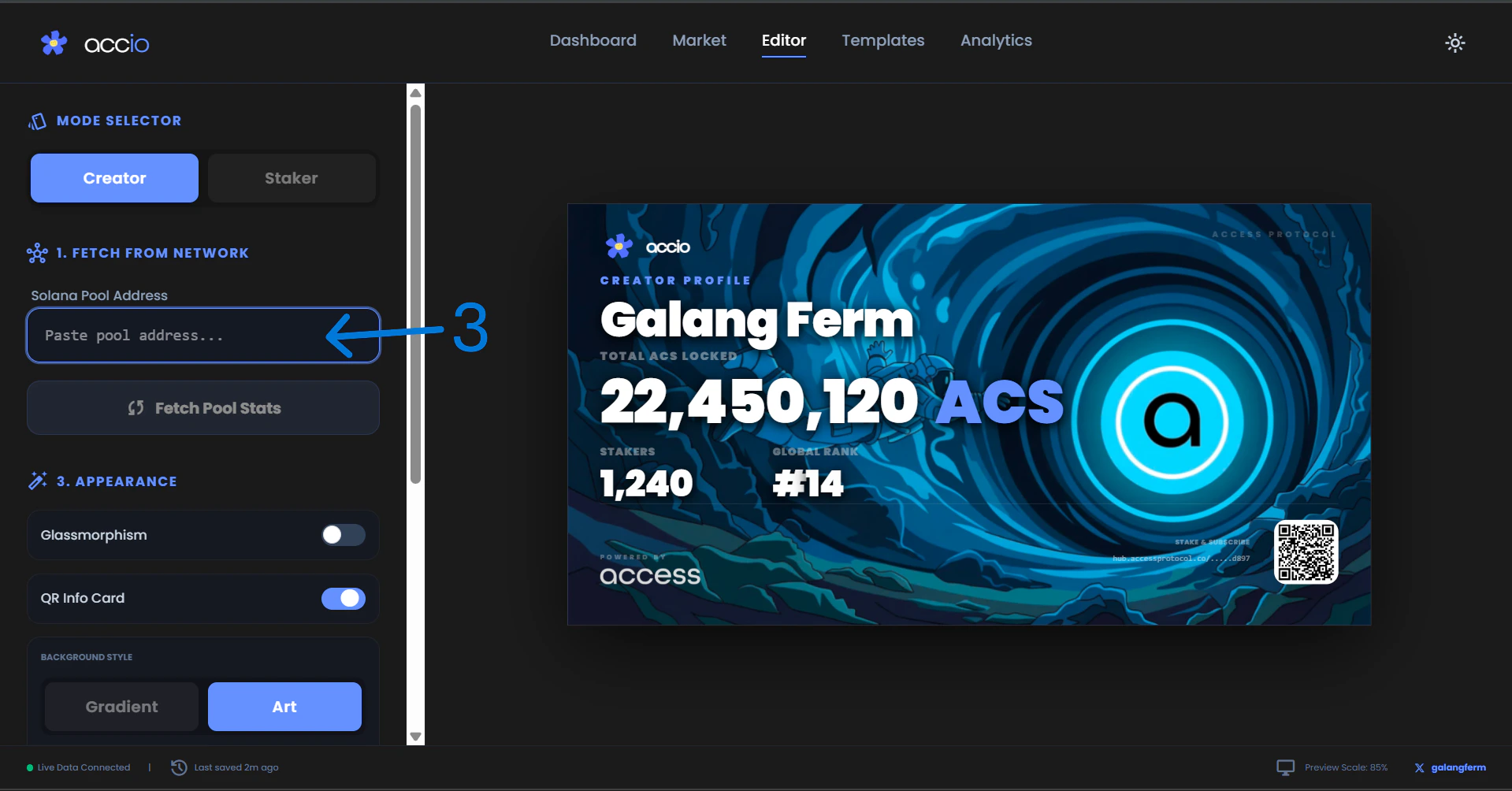
3. Paste Your Pool Address
Paste the pool address you copied from the Access Hub into the input field under the Mode Selector.
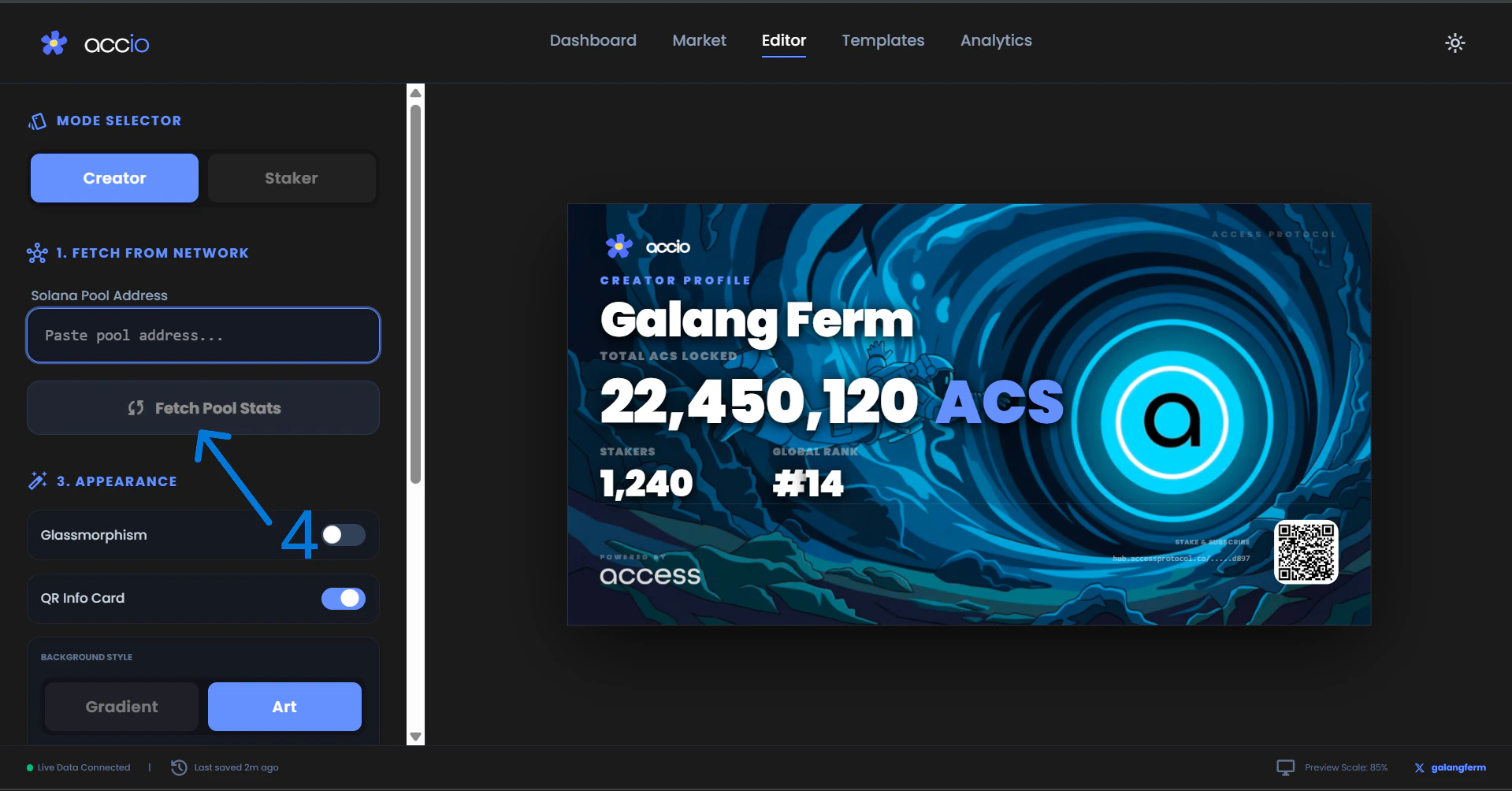
4. Fetch Details
Click the Fetch Pool Stats button. Accio will instantly query the Solana blockchain and generate your dynamic card based on your real-time on-chain data.
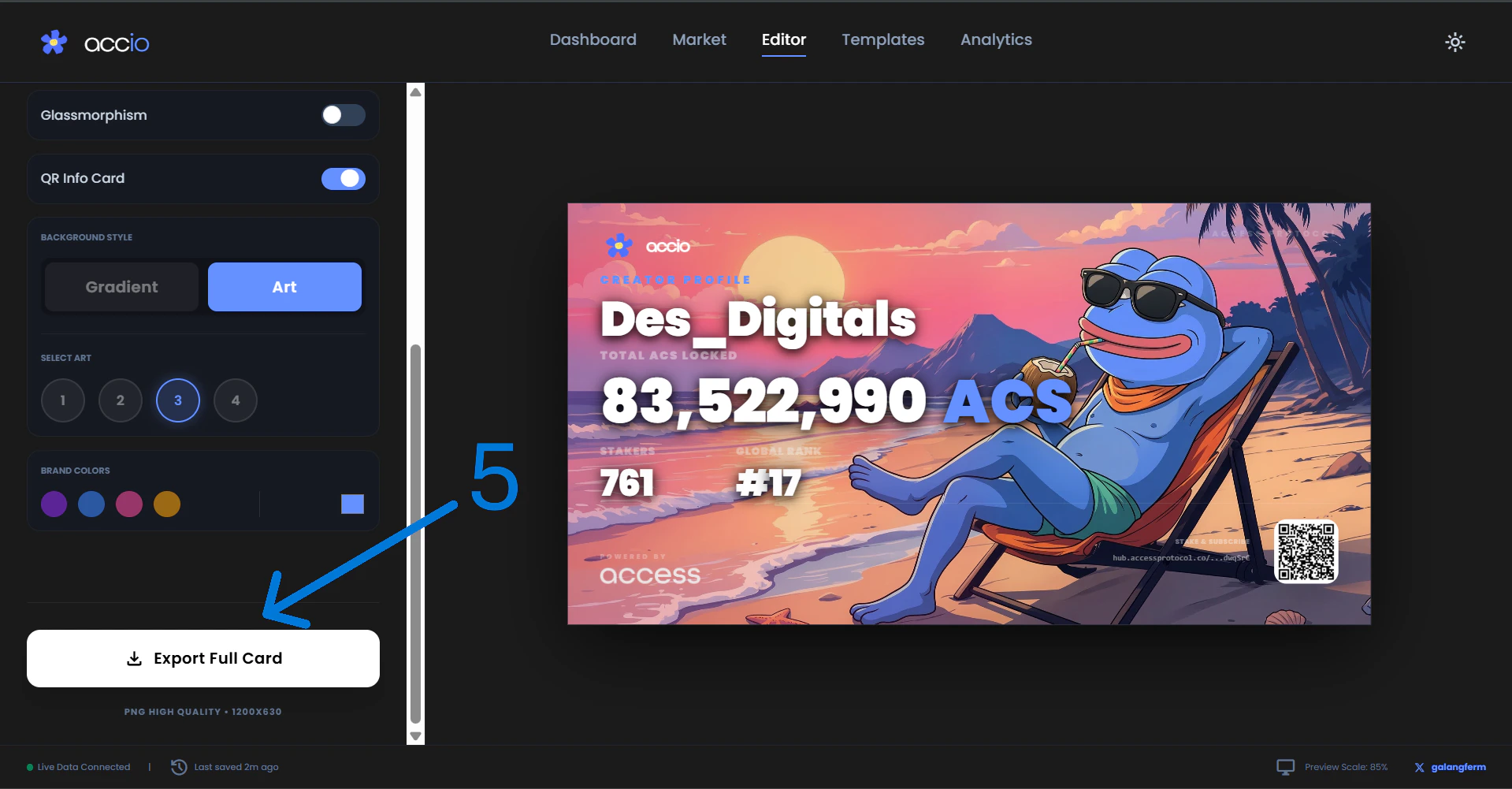
5. Customize and Export
Use the visual customizer in the sidebar to adjust themes, colors, and background art.
Once you are satisfied with the look, click Export to download a high-resolution image of your card.
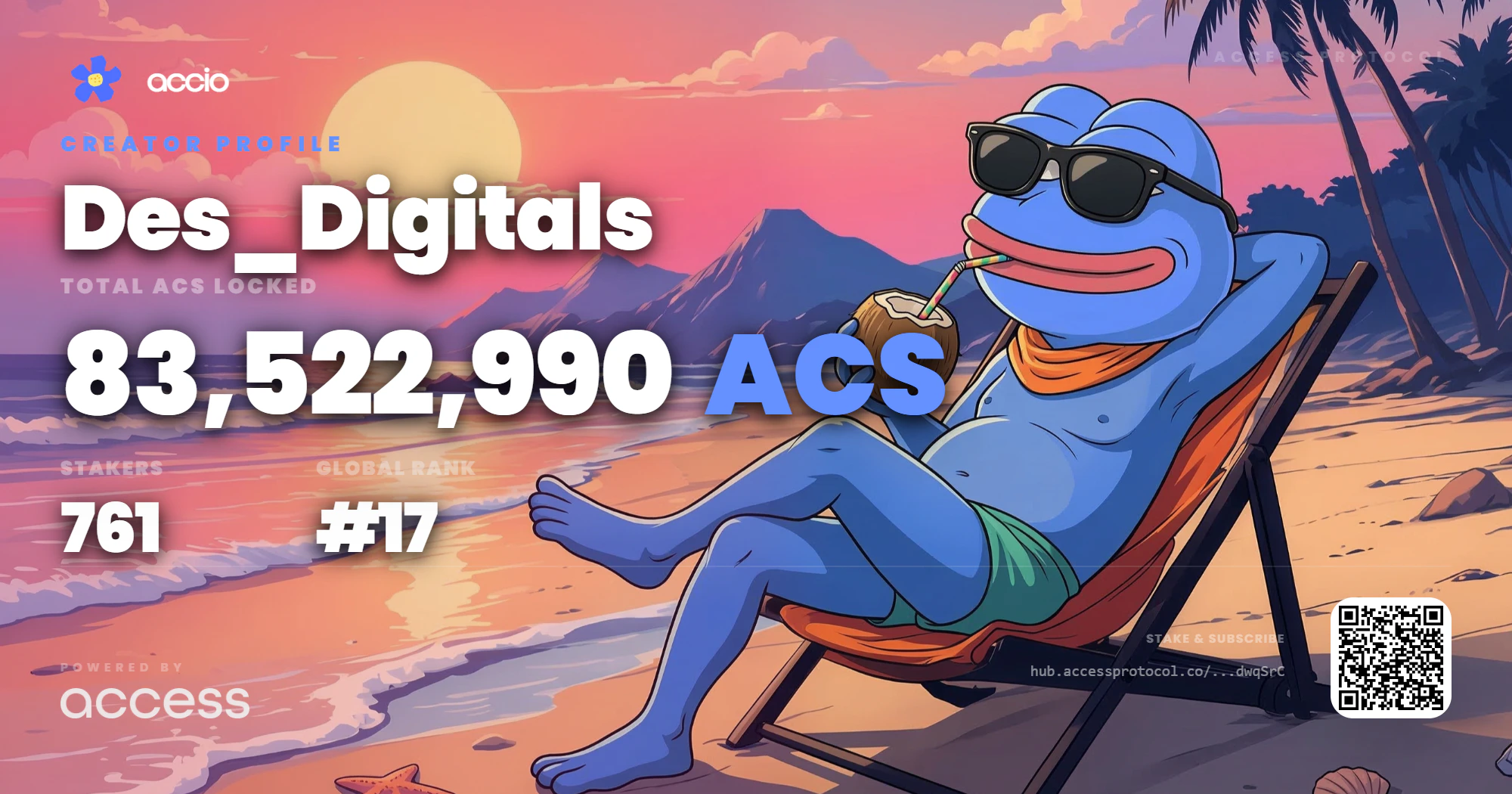
6. Final Result
Here is the stunning final result of your custom Creator Card, ready to be flexed to your community!
For the best results when sharing on social feeds, we recommend using the default dark aesthetic, which provides high contrast on mobile devices.